
Why I Created a Client Strategy Portal (And How It Helps You Make the Most of Your Brand Images).

If you've ever invested in a brand shoot and found yourself staring at your gallery a few weeks later wondering what to do next, this post is for you.
Because even the most beautiful, strategic brand images in the world won't grow your business if they're just sitting in a folder.
And I kept thinking about that.
I've always put enormous care into every shoot I deliver - the strategy, the preparation, the shoot day itself, the editing. My clients leave with images they love. That part has never been in question.
But what happens after? What happens when the excitement of receiving a gorgeous gallery settles, and real life kicks back in? When there are a hundred things demanding attention and the photos, despite being incredible, end up underused?
That's the gap I wanted to close. Not because anything was missing from the shoot experience, but because I knew there was more I could give.
So I developed the client strategy portal and right now, it's something very few brand photographers in the UK are offering.
What Is the Client Strategy Portal?
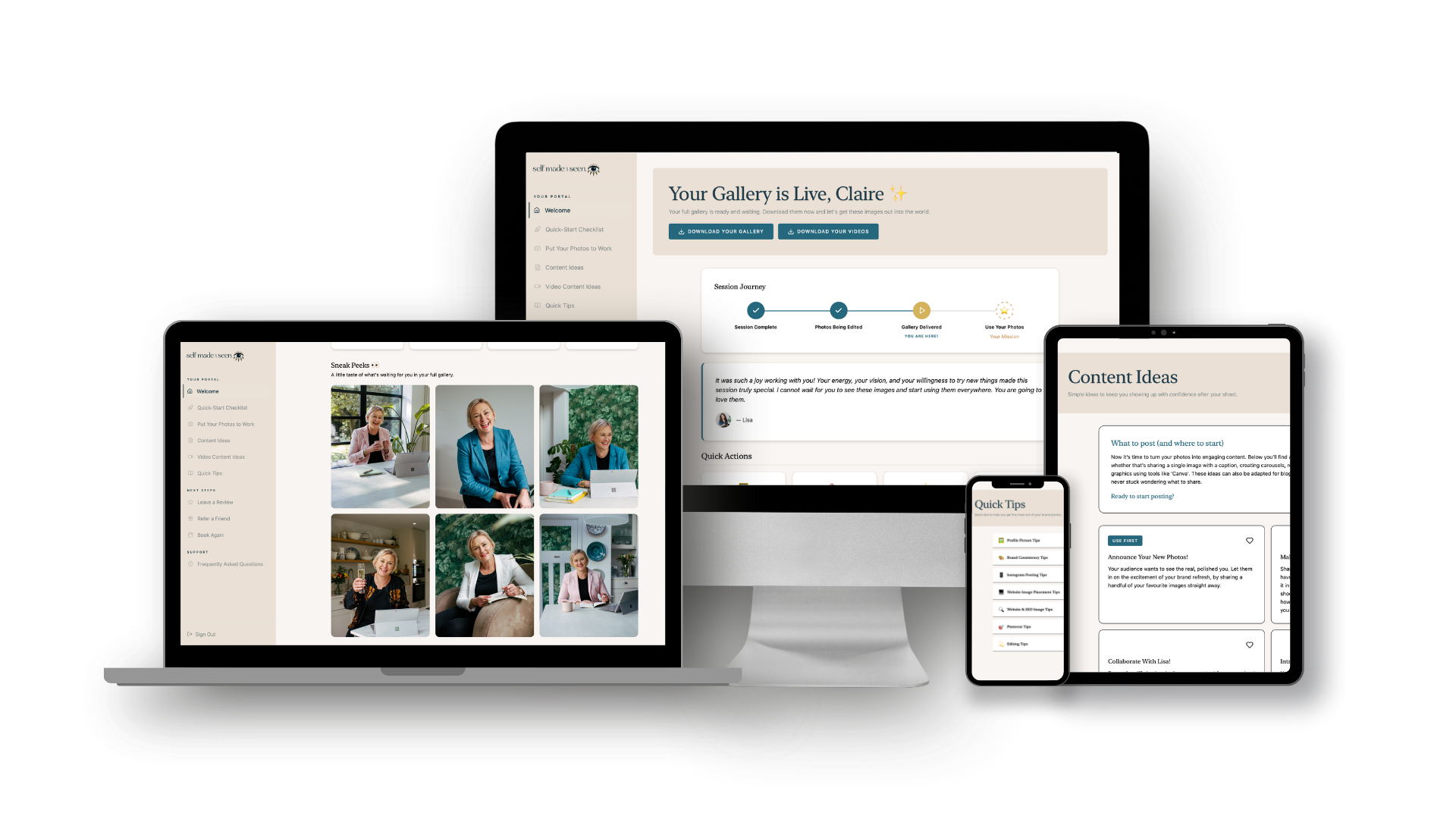
The client strategy portal is a dedicated digital space that every single client now receives alongside their brand shoot with me.
It lives online, it's personalised with each client's own images, and it's designed to make sure that the investment in a brand shoot keeps working long after shoot day.
Think of it as the bridge between having incredible images and actually using them - with confidence, with strategy, and with real results for your business.
Why I Created It - The Problem I Kept Seeing.
Knowing how to use brand images strategically, where to put them, what content to create from them, how to show up consistently, is a whole other skill set. And it's one that most people simply haven't been taught.
You can have a library of beautiful, professional images and still feel overwhelmed when you sit down to actually use them. Which one do I post? What do I say? Where does this one go? Should I use it for my website or my Instagram?
These aren't silly questions. They're the natural result of nobody handing you a roadmap.
A branding designer told me recently that she sees images gathering dust in folders "time and time again" with her own clients. A business scaling strategist said that people often invest in brand photography and then simply don't make the best use of what they have.
And that confirmed what I already knew: this isn't an individual problem. It's an industry-wide gap.
The portal is my answer to it.
What's Inside the Client Strategy Portal?
Here's a full look at every section inside the portal and why I included it.
1. Welcome
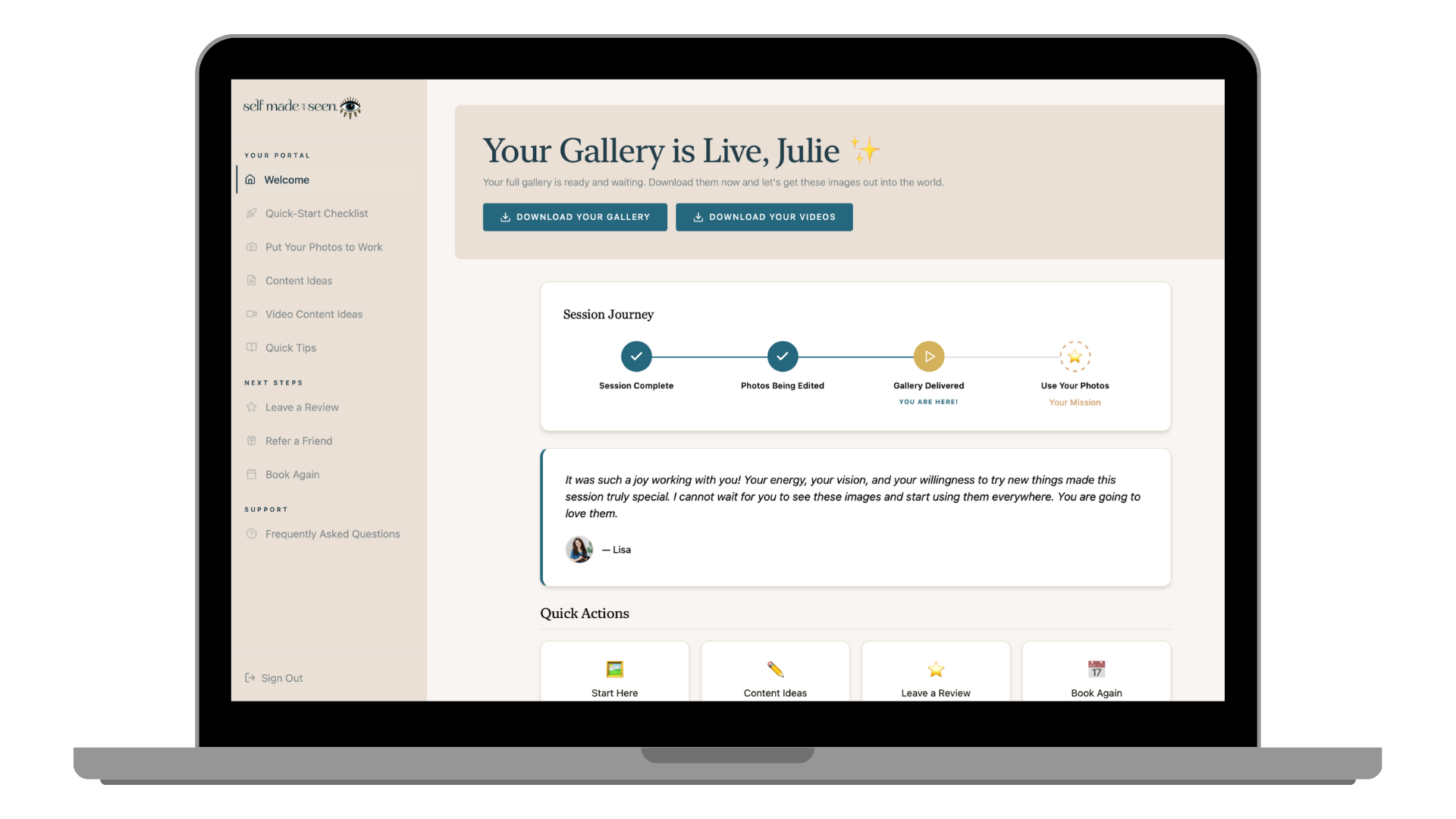
The very first thing clients see when they log in is their welcome page.
This tracks exactly where they are in the process, from shoot day right through to gallery delivery and putting their photos to work. And while they're waiting for their full gallery, there are already little sneak peeks of their images in here.
Because the excitement shouldn't have to wait until the gallery lands. The experience begins from day one.
2. Quick-Start Checklist
Most people update their profile picture after a shoot. Maybe their website. And then they stop.
But there are so many more places your images should be working for you and most people simply don't think to check them all.
The Quick-Start Checklist lays out every single place new images should go: profile image, banner image, website, email signature, booking pages, media kit, Google Business profile and more.
It's a simple, satisfying checklist that makes sure nothing gets missed and your brand looks consistent and current everywhere it needs to.
3. Put Your Photos to Work
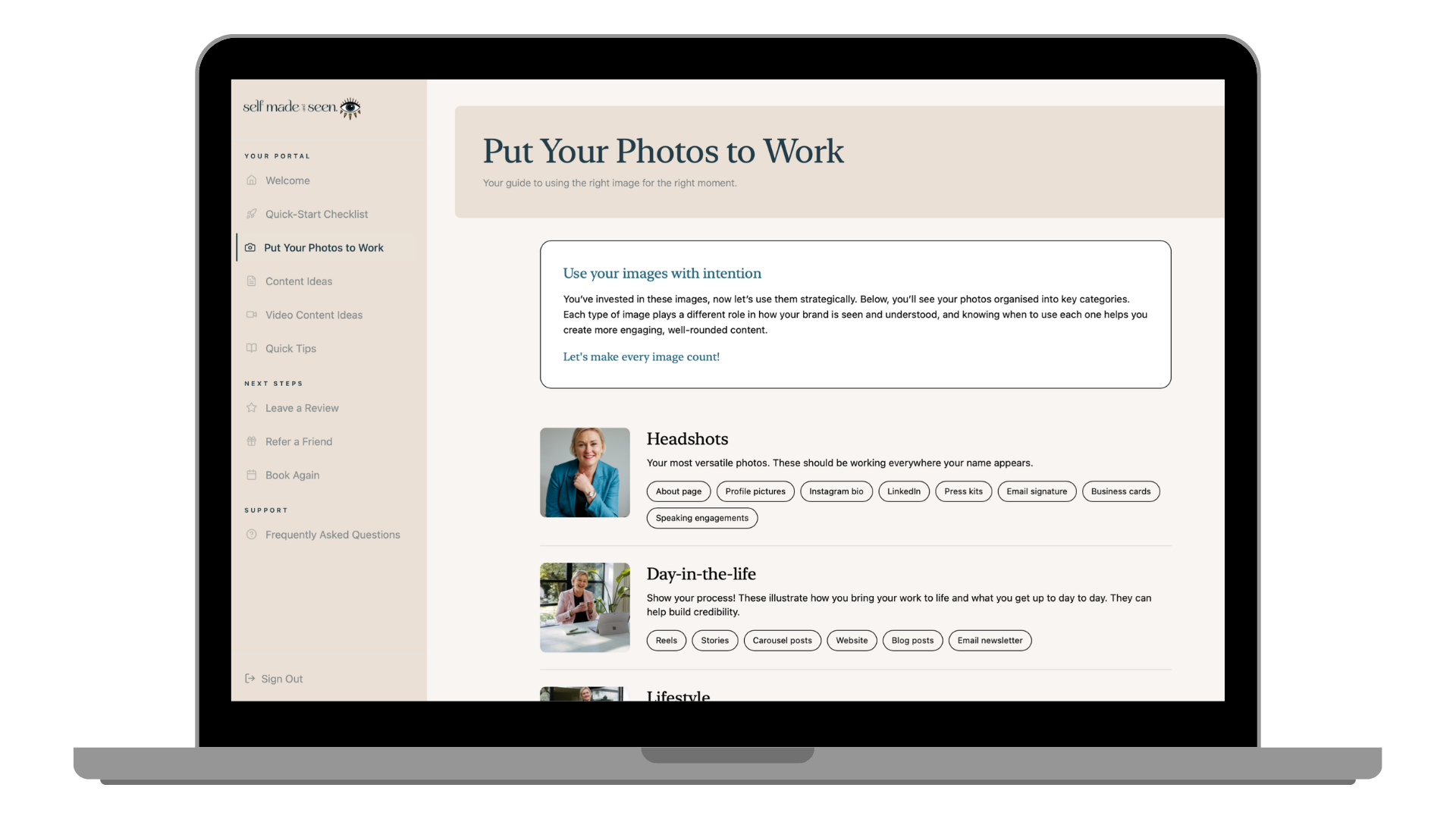
This is one of my favourite sections and the one my clients consistently respond to most.
Every client's images are personally organised by type: headshots, lifestyle images, detail shots and more. So instead of scrolling through a gallery of 30, 50 or 100 images feeling overwhelmed, my clients can see exactly what they have and understand what each type of image is best suited for.
Headshots for your LinkedIn profile and website about page. Lifestyle images for social content and email headers. Detail shots for website sections and product pages.
No more guesswork. No more defaulting to the same one image because it feels safe.
4. Content Ideas
Over 20 content ideas, ready and waiting the moment a client's gallery lands.
Whether you need caption inspiration, a topic for your next LinkedIn post, or a full week of Instagram content mapped out, it's all in here. And I keep adding to it regularly so it keeps growing over time.
Because one of the biggest blockers to using brand images consistently isn't motivation, it's not knowing what to say alongside them. This section removes that blocker entirely.
5. Video Content Ideas
For clients who have b-roll video clips included in their experience, this section is dedicated entirely to making the most of that footage.
Video content is one of the most powerful tools for visibility and connection right now. But most people receive their clips and have no idea how to turn them into Reels, stories or content that actually performs.
The video content ideas page gives specific, practical ideas and tips for doing exactly that, so every asset from a shoot gets used intentionally.
6. Quick Tips
All the things I wish every single client knew from day one.
This section covers a whole range of practical topics - here's just a taste of what's in there:
Profile picture best practices across platforms
Brand consistency tips so you show up cohesively everywhere
Instagram posting tips for getting the most from your images in the feed and stories
Website image placement guidance so your site looks polished and intentional
SEO tips like alt text, page speed and helping google find you
Pinterest tips for driving traffic with your brand images
Tools that make the whole process easier and more efficient
And that's just what's in there right now, I keep adding to this section as new tips and tools emerge, so it only gets more useful over time.
What This Means For You.

The client strategy portal comes included with every brand shoot I offer.
It's not a add-on. It's not an extra cost. It's simply part of what it means to shoot with me.
Because I don't just want my clients to have beautiful images. I want them to use those images, show up with confidence, attract aligned clients and grow their businesses. That's the whole point.
When you book a brand shoot with me, you don't just get a gallery. You get a complete toolkit for using it.
Who This Is For?
The client strategy portal is designed for anyone who wants to make the most of their brand photography investment, but it's particularly valuable if you're:
A female entrepreneur, founder or business owner who wants to show up consistently and confidently online
A service-based business owner - coach, consultant, therapist, creative - whose personal brand is central to how you attract clients
Someone who has invested in brand photography before and not quite known how to maximise it
A London-based business owner looking for a brand photographer who offers more than just beautiful images
Anyone building a personal brand and ready to take their visibility seriously
Ready to Get Your Own Portal?
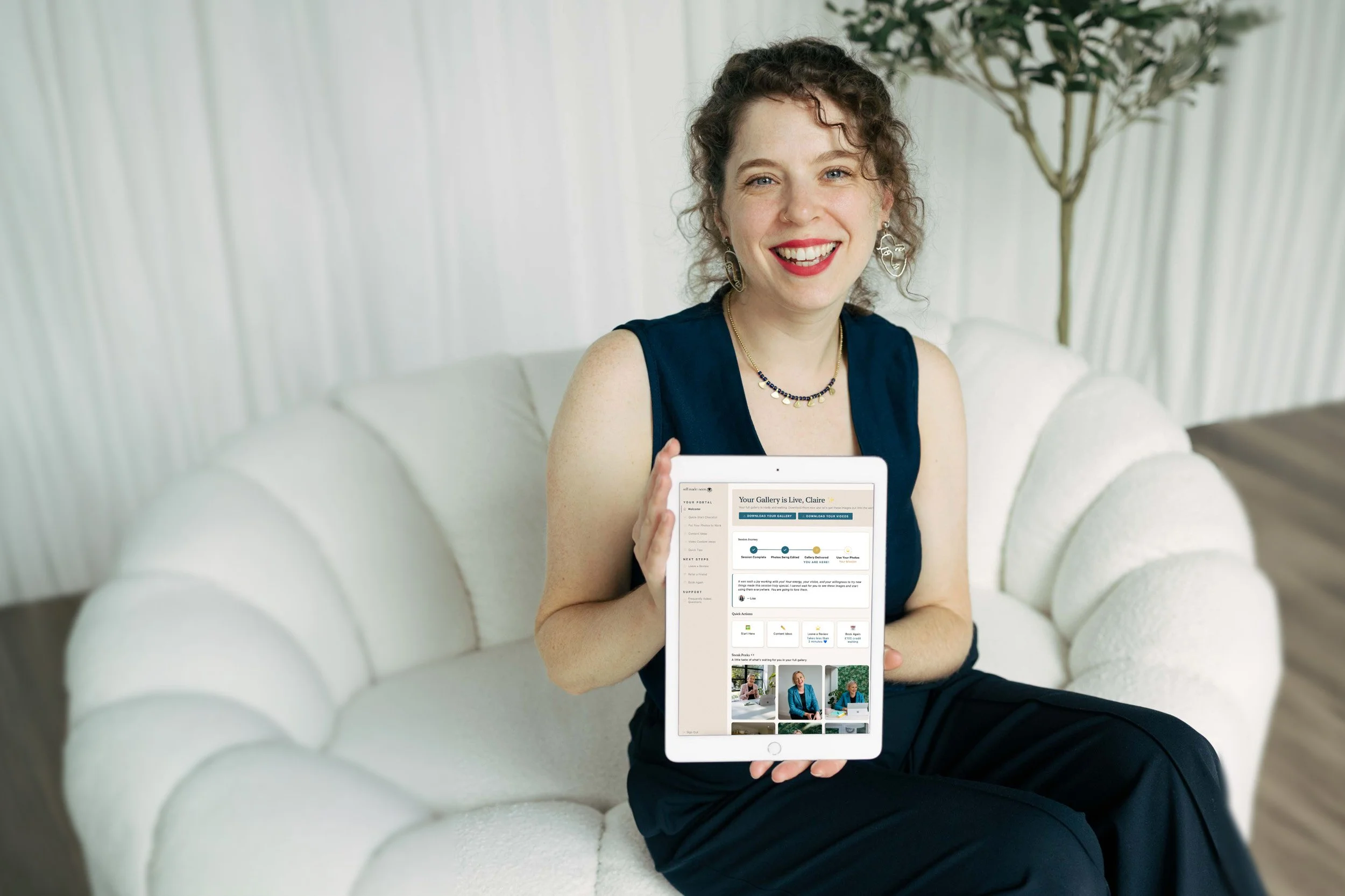
If any part of this resonated, if you've been thinking about investing in a brand shoot, or if you've had one before and know your images could be working harder for you, I'd love to work with you.
Every shoot comes with your own personalised client strategy portal, filled with your images and everything you need to use them with confidence. It's an experience very few brand photographers in the UK are currently providing, and I'm incredibly proud of what it adds to every shoot.
Or if you have questions, simply get in touch, I'd love to have a chat about what you need.